
Recover an autosave
Words
94 words
Reading time
Open the autosave recovery panel
Open the autosave recovery panel from the Start Page or under File > Autosave Recovery.
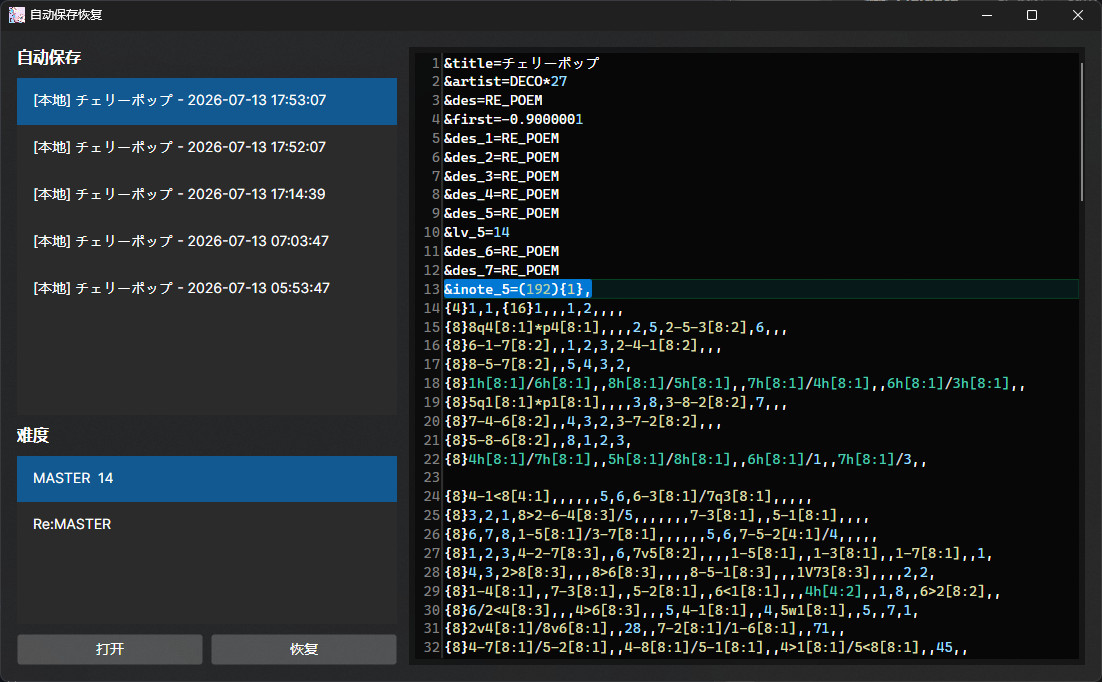
Select the autosave you want to restore in the top-left corner. Use the bottom-left controls to jump to the corresponding difficulty line. After checking the content, click Recover. You can also click Open to open the corresponding chart file directly. If you recover the currently open chart, MajdataX reloads it automatically.
Recovery replaces the entire file. The difficulty navigation only helps you inspect its contents.
