Node Instructions
These instructions require the Slide to travel in a straight line to a specified judgment-area position. Together with the parameter that follows, they are simply the name of the target judgment area, e.g. A1, B3, C, B8.
Players familiar with Maimai should know that official Slide judgment only checks the A, B, and C areas — D and E areas are not considered. Therefore, to ensure that Slides defined by Slide Code can produce reasonable judgment queues, Slide Code only includes instructions corresponding to the A, B, and C areas:
- A instruction: travel in a straight line to the A area. Parameter is
1~8, indicating the specific A-area key number.- Note: the target point is not at the Touch position, but on the judgment line, allowing travel to adjacent positions.
- B instruction: travel in a straight line to the B area. Parameter is
1~8, indicating the specific B-area key number.- Note: the target point is not at the Touch position, but slightly toward the center of the screen (consider the intersection of
1-4and2-5, which is not at theB3Touch position).
- Note: the target point is not at the Touch position, but slightly toward the center of the screen (consider the intersection of
- C instruction: travel in a straight line to the C area (exact center of the screen). This instruction must not be followed by any parameter.
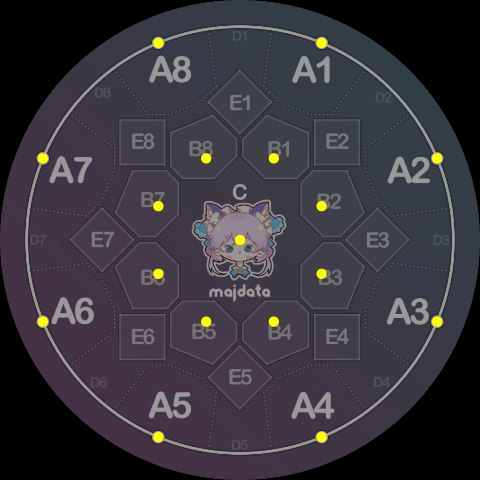
The positions of these 17 nodes are shown below:
Note the differences from the corresponding Touch positions:
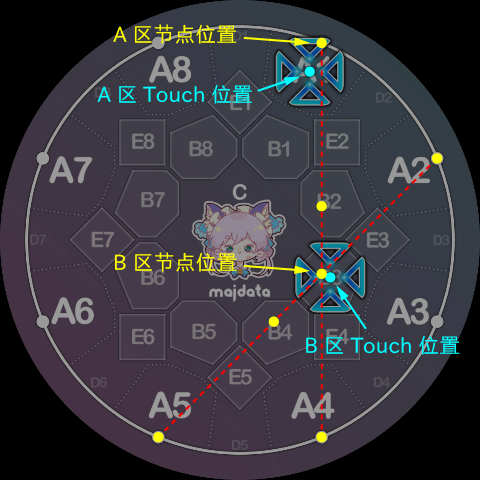
The reason for introducing these positional differences is to maximize the reuse of official Slide shapes, which to some extent makes the resulting Slides look more aesthetically pleasing.
In particular, since official Slides always end in the A area, Slide Code (currently) preserves this property. We use a special instruction to mark the end of the Slide:
- K instruction: marks the endpoint of the Slide. Its visual behavior is identical to the A instruction, but it marks the end of the entire Slide for judgment purposes. A Slide Code must end with a K instruction and its parameter. Parameter is
1~8, indicating the specific A-area key number.
The reason for using the letter K is actually a pun. A straightforward explanation is "Key" — since the outer keys are outside the screen, traveling to an outer key means "leaving the inner screen," and thus the Slide is over. Additionally, as some may know, Minepig is a deep enthusiast of music theory, so the second interpretation of K is the literal meaning of "Cadence" (German: Kadenz), referencing the cadential six-four chord
in music theory.
Technically, we sometimes treat the Slide's starting point as a separate node instruction, but this instruction does not actually appear in the Slide Code string:
- X instruction: represents the starting point of the Slide. The letter
Xmust be omitted in Slide Code; just write the digit alone, like the traditional Slide syntax1-4. Parameter is1~8, corresponding to the eight starting points on the judgment line, which are the same positions as the A instruction nodes.
With the above four instructions we can already write the following simple polyline Slides:
1B7K5, i.e. starting from key 1, turning at B7, ending at key 5 — looks a lot like 1p5.
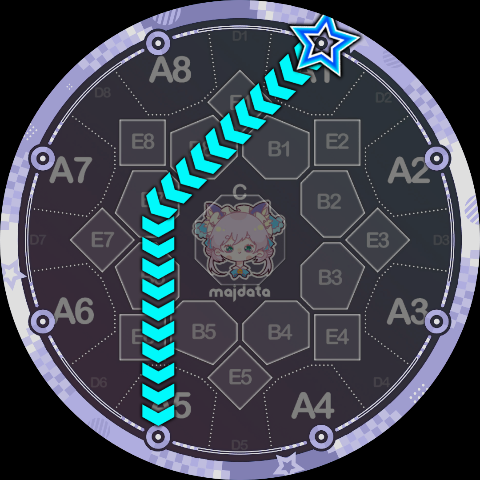
1A3A5A7K1 is basically the Slide Code way of writing 1-3-5-7-1.
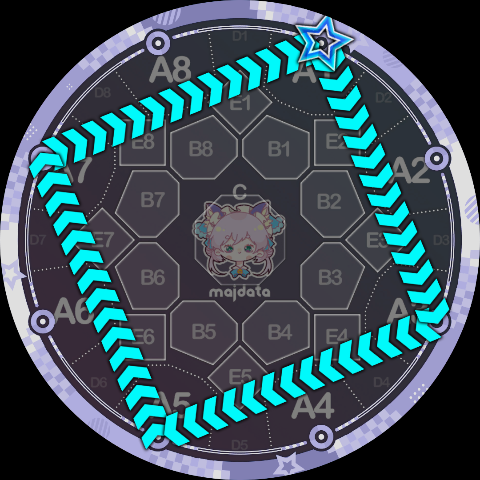
8B7A6B5A4B3A2B1K8 is a four-pointed star.
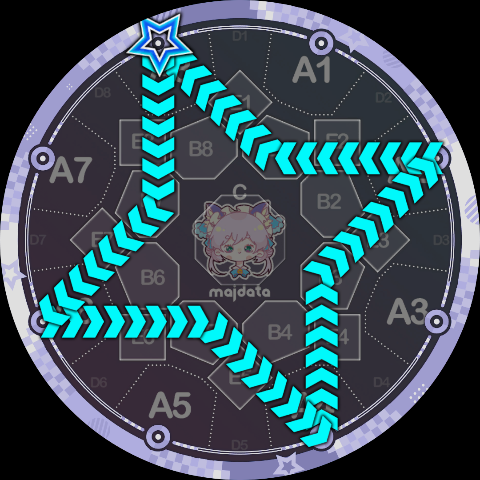
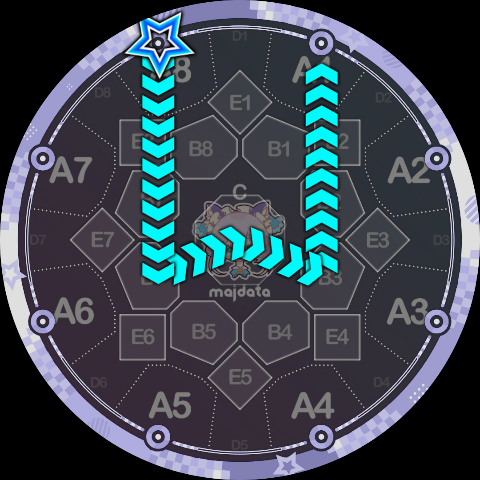
8B6CB3K1 looks like a small W.