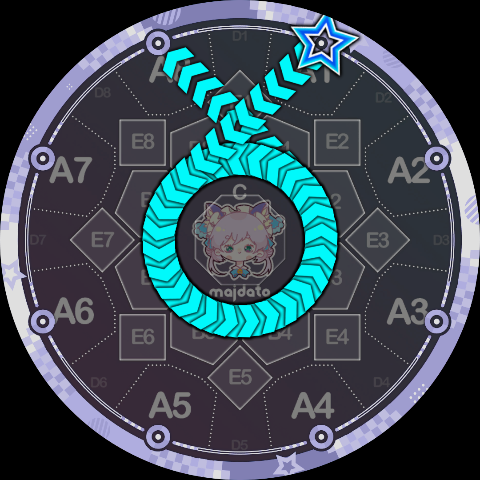
Track Instructions
These instructions require the Slide to rotate along a specific circular track. If the path's starting point is outside the circle, it first travels along a tangent to enter the circle before rotating; when leaving the track to go elsewhere, it rotates to a suitable angle before leaving along a tangent.
Among the official Slide shapes, there are 10 different circles. In Slide Code each is assigned a number from 0~9:
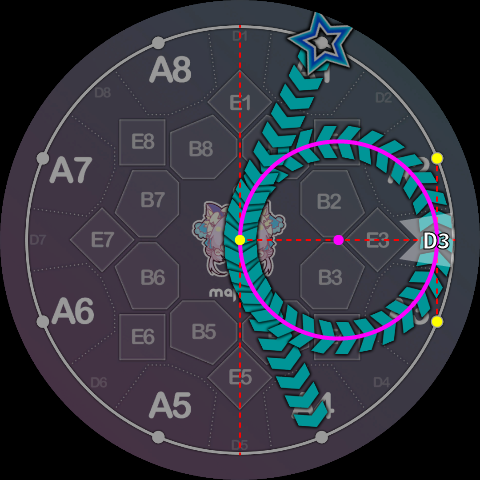
- Side circles: the circles traversed by ppqq-Slides in the standard syntax, 8 in total. For convenience, the side circle's number matches the D-area key number it passes through, ranging from
1~8. (For example, the circle traversed by the standard syntax1pp4passes through D3, so it is circle 3.) - Central circle: the circle traversed by pq-Slides in the standard syntax. It does not pass through any D area, so it is assigned the number
0. - Outermost circle: the circle traversed by
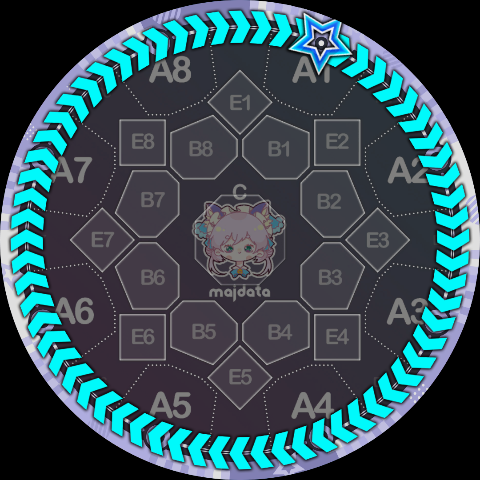
<and>Slides in the standard syntax, i.e. the judgment line itself. It passes through all D areas, so it is assigned the largest number9(the only remaining number).
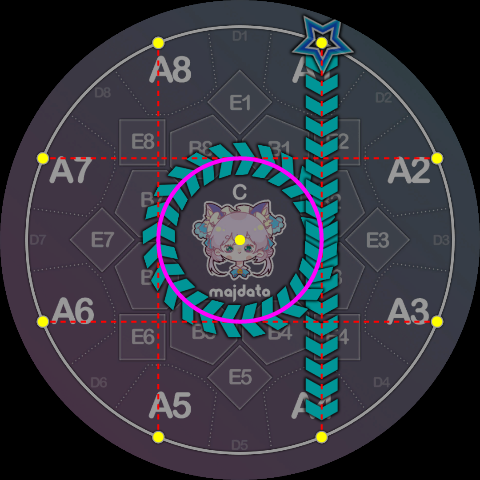
The specific definition of the central circle is shown below:
The definition of a side circle (circle 3 is shown):
The outermost circle is simply the judgment line itself, and needs no further explanation.
Rotation can be clockwise or counterclockwise. Slide Code borrows the p, q notation from standard simai and defines the following two track instructions:
- P instruction: rotate counterclockwise around the specified circle. Parameter is
0~9, indicating the specific circle number. - Q instruction: rotate clockwise around the specified circle. Parameter is
0~9, indicating the specific circle number.
Using these two track instructions, we can translate official Slide shapes into Slide Code:
1pp6 = 1P3K6, i.e. starting from key 1, rotating counterclockwise around circle 3, then ending at key 6.
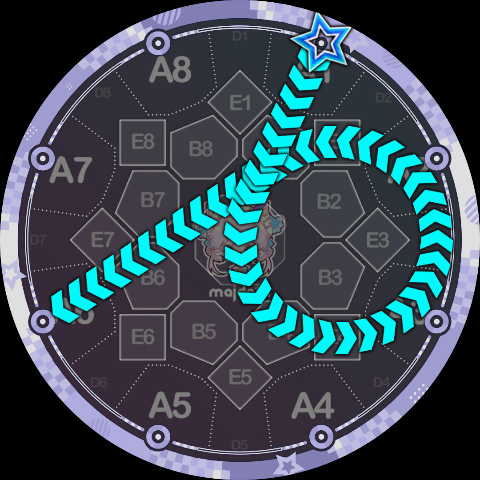
1q4 = 1Q0K4, here it happens to rotate exactly 360°.
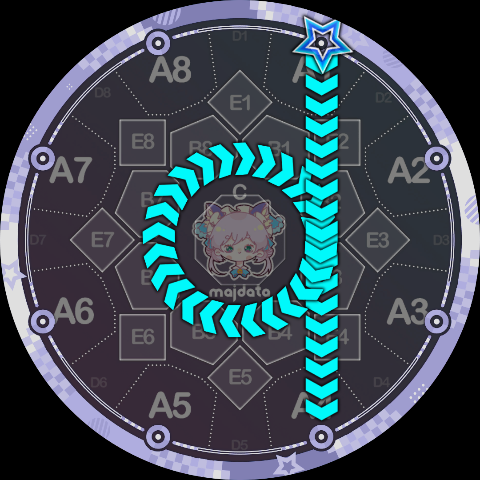
1>1 = 1Q9K1, again exactly 360°.
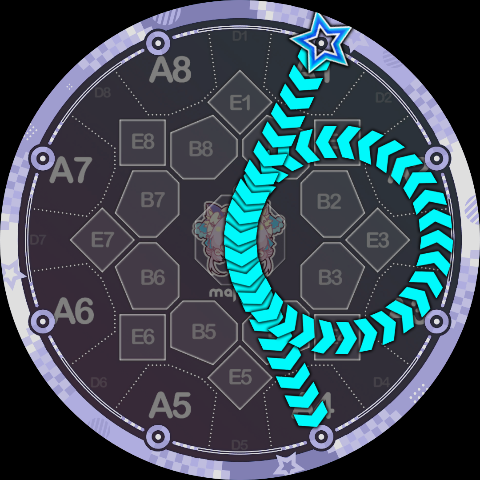
Note that the official 1pp4 and 1pp5 are special because the central angle they traverse exceeds 360°. In this case, Slide Code requires the track instruction to be repeated to indicate "one extra revolution":
1pp4 = 1P3P3K4, the repeated P3 means to go around circle 3 one extra time.
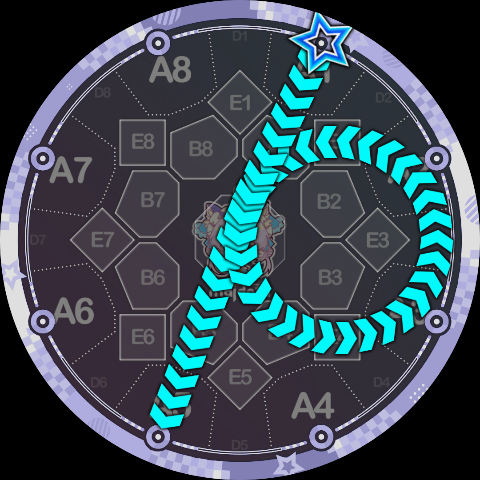
1pp5 = 1P3P3K5, if you look back at the side circle shape definition, you should be able to understand why this exceeds 360° rather than being exactly 360°.
Of course, this means you can intentionally not go the extra revolution, for example:
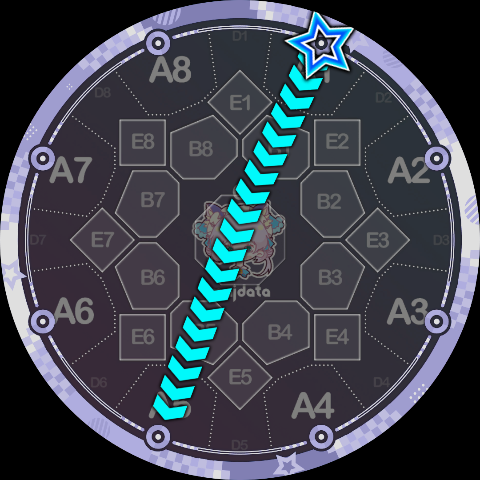
1P3K5 looks a lot like 1-5 but is not 1-5 (note the trajectory curves slightly to the left).
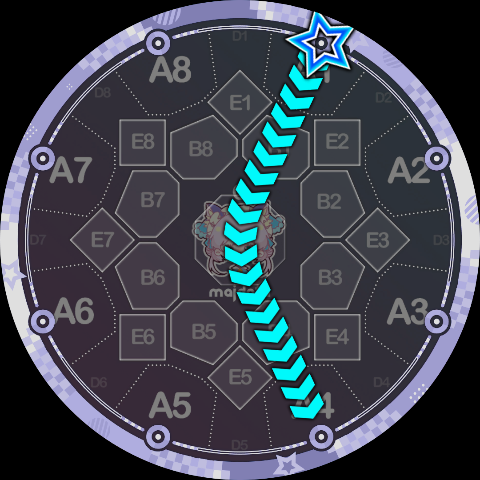
1P3K4 looks a lot like 1v4 but is not 1v4.
Since you can request one extra revolution, you can of course go around many more times, e.g. 1P0P0P0P0P0K8 goes around a total of 4.75 times: